
SITE PRESENCE BOARD
A modern muster board.
See who's on site.
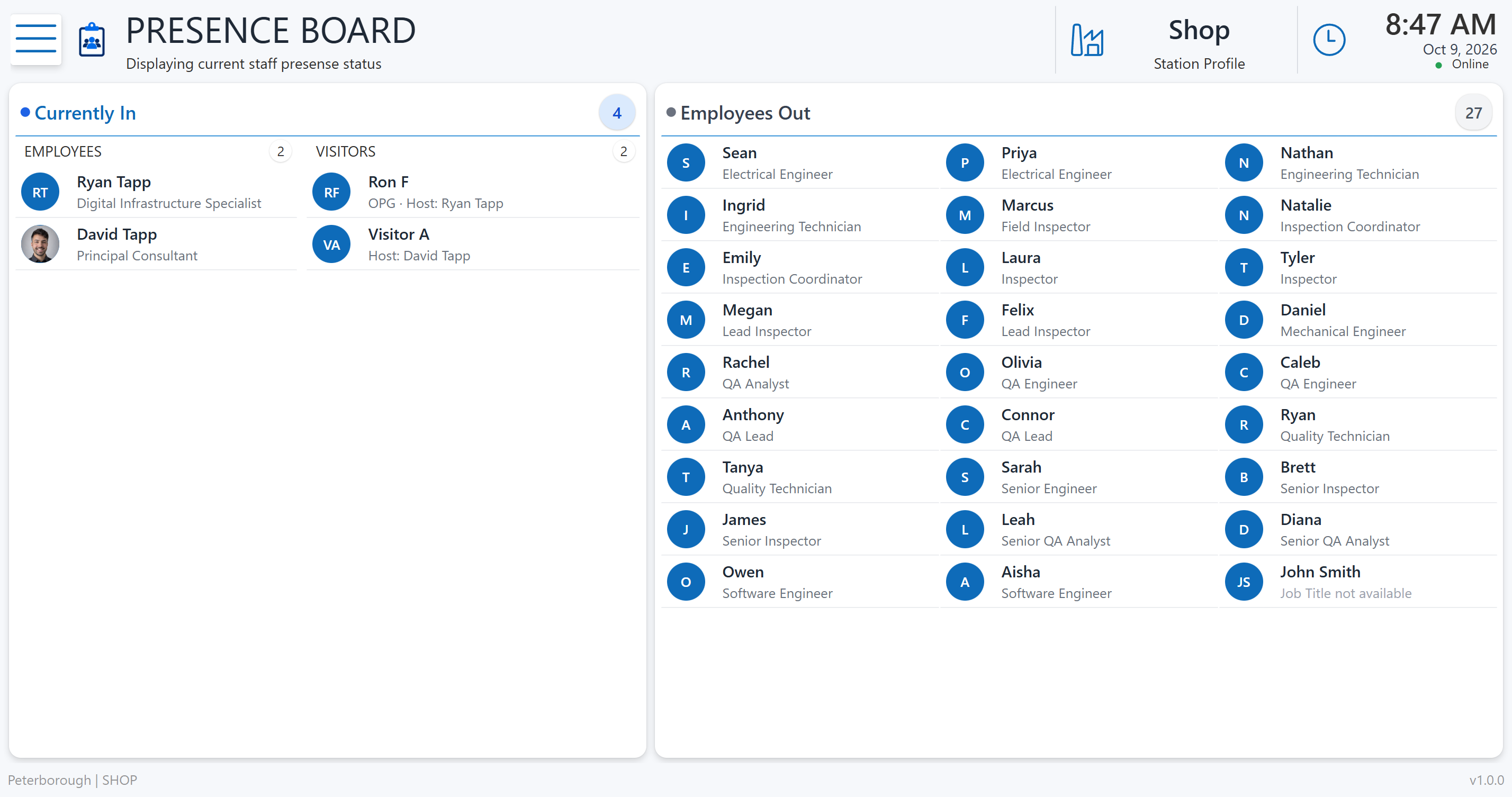
Replace the whiteboard with a clear digital view of employee and visitor presence and an emergency roll-call screen. Employees can sign in using RFID badge or User Search.
Ready for demonstration
Power Apps · SharePoint
EVERYDAY SIGN-IN
Find your profile.
Sign in. Keep everyone informed.
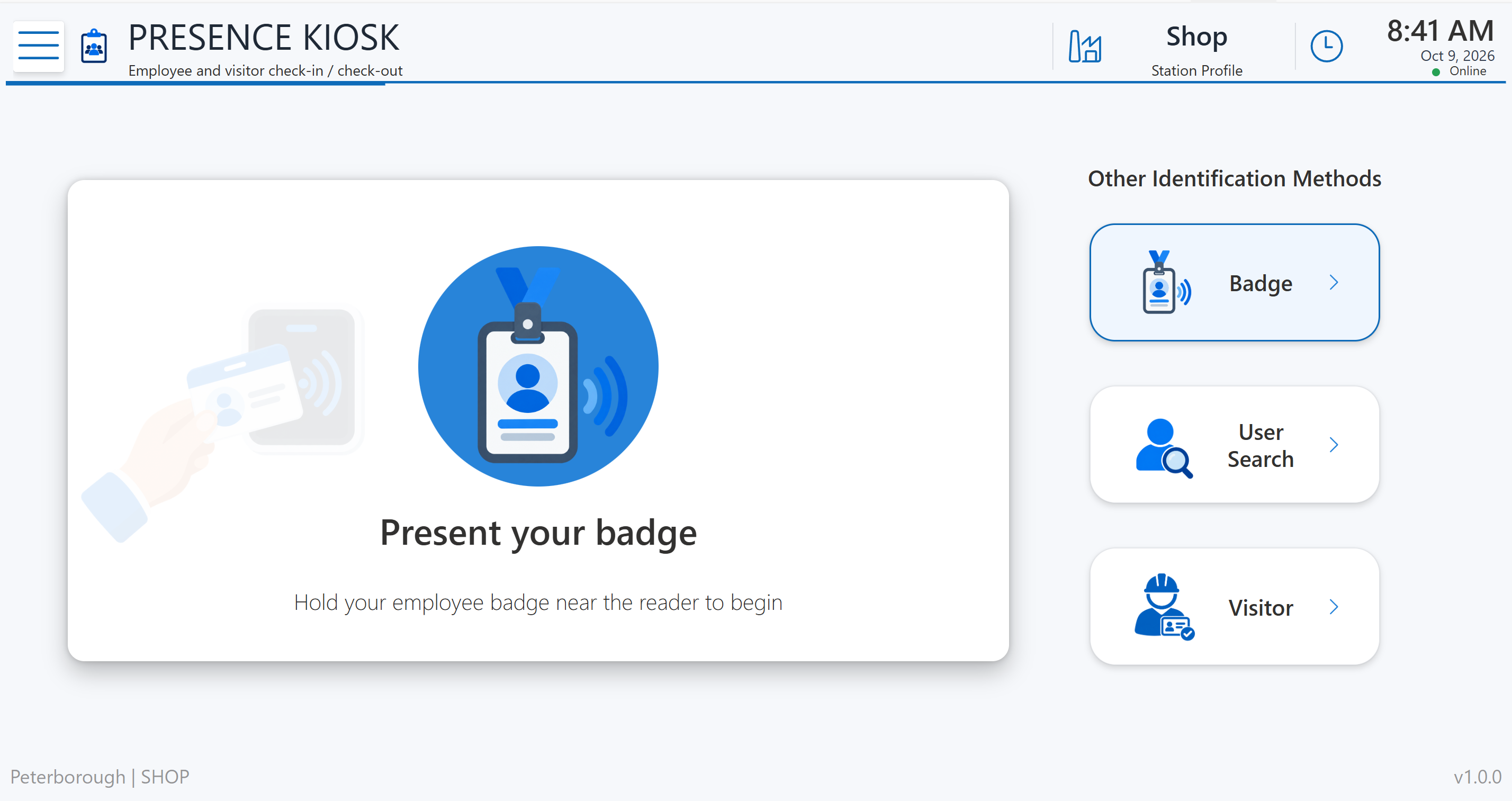
A tablet kiosk at a convenient location handles arrivals and departures. Employees can use the User Search button to look up their profile manually, or present a badge if your business uses RFID. A nearby display runs the app in presence-board mode.
Look up your profile or scan a badge
The employee selects User Search and looks up their profile. If a reader is installed, they can also present their badge to the RFID reader.
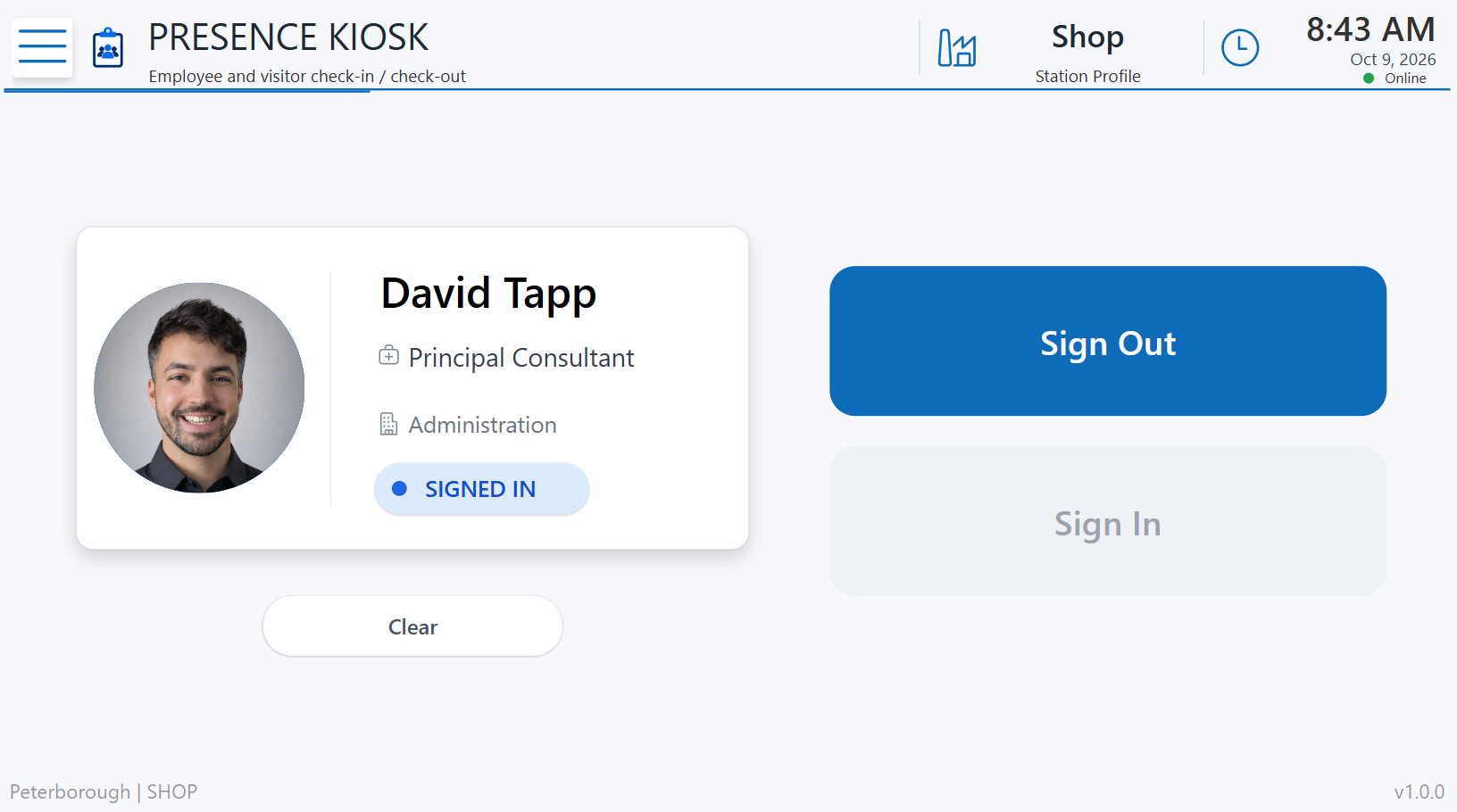
Confirm sign-in or sign-out
Their profile card appears. They press Sign In when arriving or Sign Out when leaving.
See the board update
The display refreshes approximately every five seconds to show the latest recorded presence status.
EMERGENCY MUSTERING
A clearer picture
during roll call.
Use the recorded on-site list to support your muster process. The roll-call screen separates people who are accounted for from those still unaccounted for, with totals for employees and visitors.
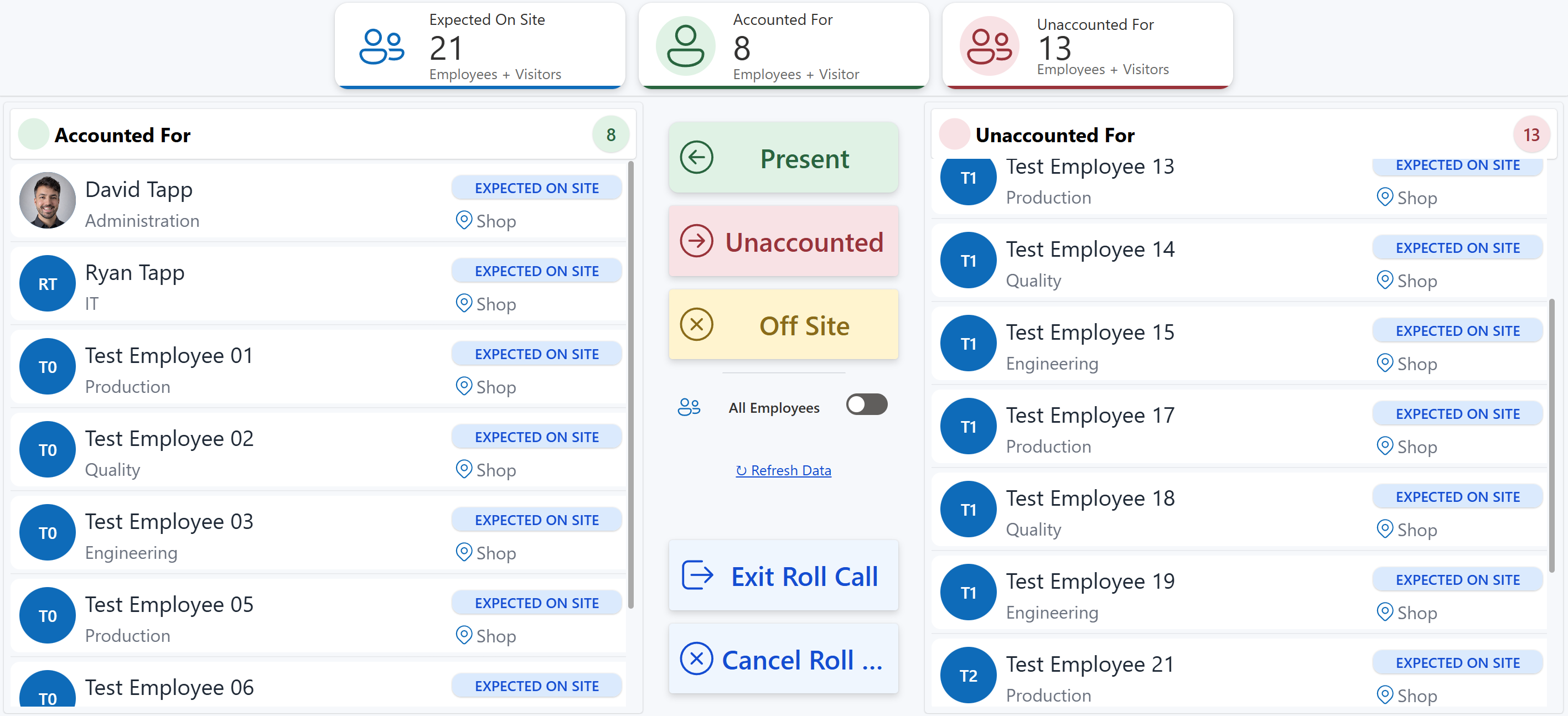
Presence reflects recorded sign-ins and sign-outs. Roll call supports your team's emergency procedures.
SET UP FOR YOUR SITE
Familiar Microsoft tools.
A workflow that fits.
For businesses moving from a manual in/out board to a shared digital presence and mustering workflow.
- Microsoft licensing
- Built with Power Apps and SharePoint lists. No premium connectors or premium Power Apps licenses are required for this solution. We review your existing Microsoft 365 licensing during setup.
- Kiosk and display
- A tablet kiosk and a nearby large display running the app in presence-board mode. Employees can sign in using RFID badge or User Search. RFID sign-in uses a compatible reader and employee badges. Hardware compatibility and connectivity are reviewed for your site.
- Visitor sign-in
- The visitor sign-in form can be customized to collect the information your business needs.
- Demonstration
- Site Presence Board is ready to demonstrate. Walk through RFID badge sign-in, User Search, the presence display, and emergency roll call with us.
SEE IT IN ACTION
Bring your muster process
to the conversation.
Tell us how your team records presence today. We'll demonstrate the app and discuss your kiosk, display, and visitor requirements.
Request a Site Presence Board demo